Build your STAR bank
Write interview stories in the Situation, Task, Action, Result format, draft one with AI on Pro, and confirm that each is true.
By the end of this article you have interview stories you have confirmed as true, ready to use in answers.
Write a story
Select STAR Bank in the side panel.
Select Write a story.
Add a Title, then fill in the fields for Situation, Task, Action, Result and Reflection.
Optionally fill Best for answering (separate with semicolons) and Tags (comma separated).
Select Save story.
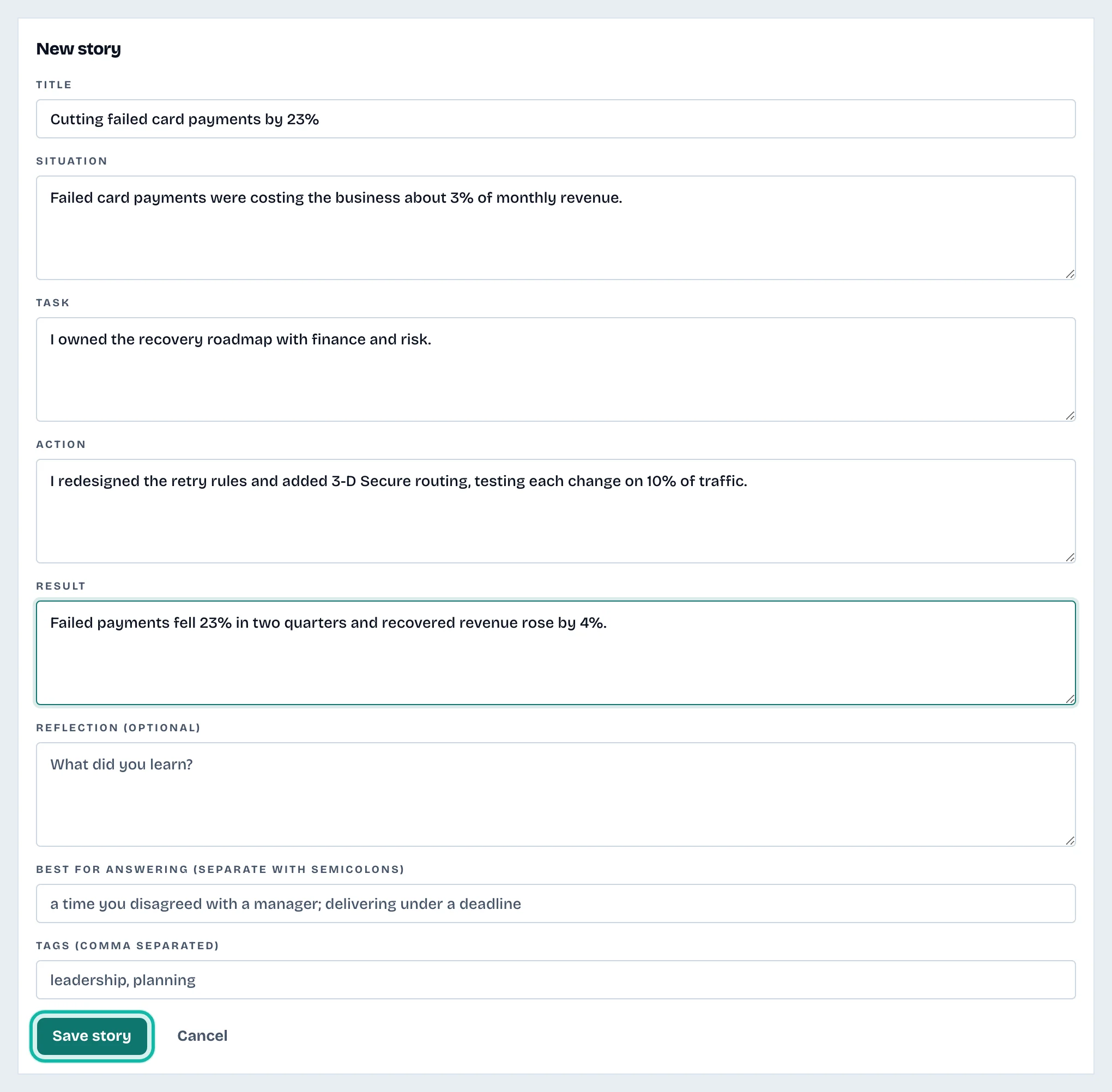
Writing stories yourself is free.
Draft with AI
AI drafting is part of the Pro plan. On Free, the screen says so and you can still write stories yourself.
Under Build it from, choose a résumé.
Optionally fill About (optional), such as "Leading a team".
Select Draft with AI.
The draft is built only from your résumé and arrives as a Draft.
Confirm a story
Check each line is true.
If a box says Unverified numbers, those numbers did not come from your résumé. Check and fix them.
Select Confirm it is true. The badge changes from Draft to Confirmed.
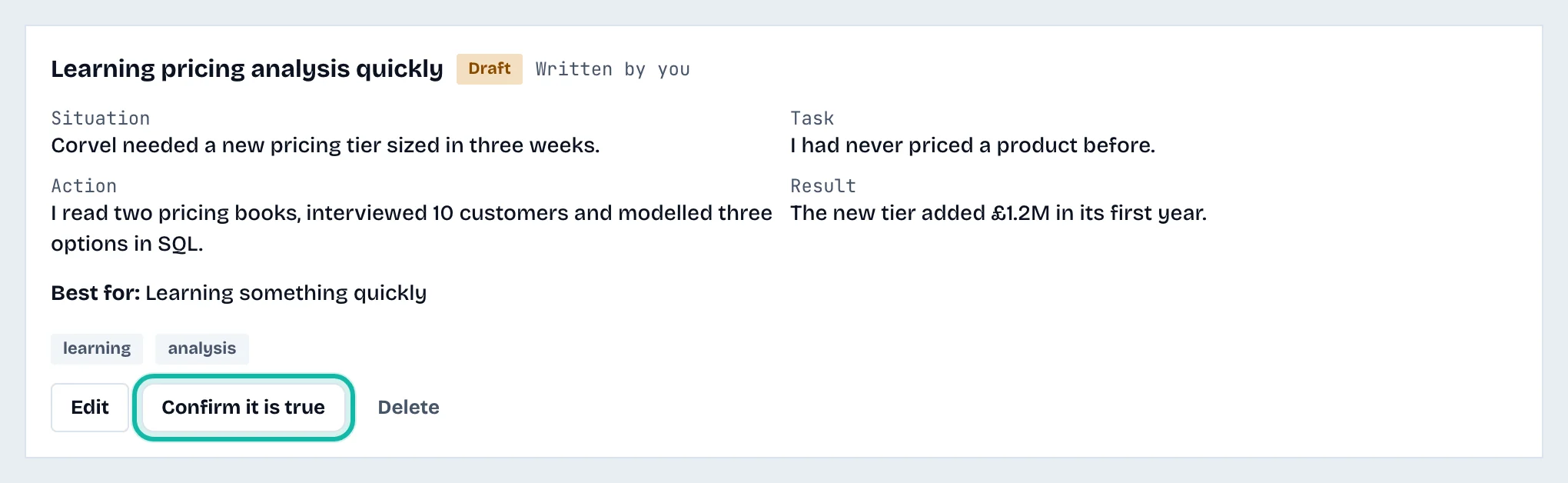
Use Edit to change a story, or Delete to remove it. Deleting cannot be undone.
Other ways to add stories
In an interview practice session, select Save as a story under an answer. See Prepare for an interview. The origin shows as From a practice answer.
What if…
AI drafting is locked? It needs Pro. See Understand credits and plans.
The list says "No stories yet"? Nothing is added for you. Write one or save a practice answer.