Work on a candidate's CV
What the candidate page offers, from editing the CV to switching between the original and tailored copies.
By the end you know what each part of the candidate page does.
Open a candidate from Candidates. The top bar shows the candidate label, whether you are on the Original CV or a Tailored copy, and the status. Below it is the CV editor.
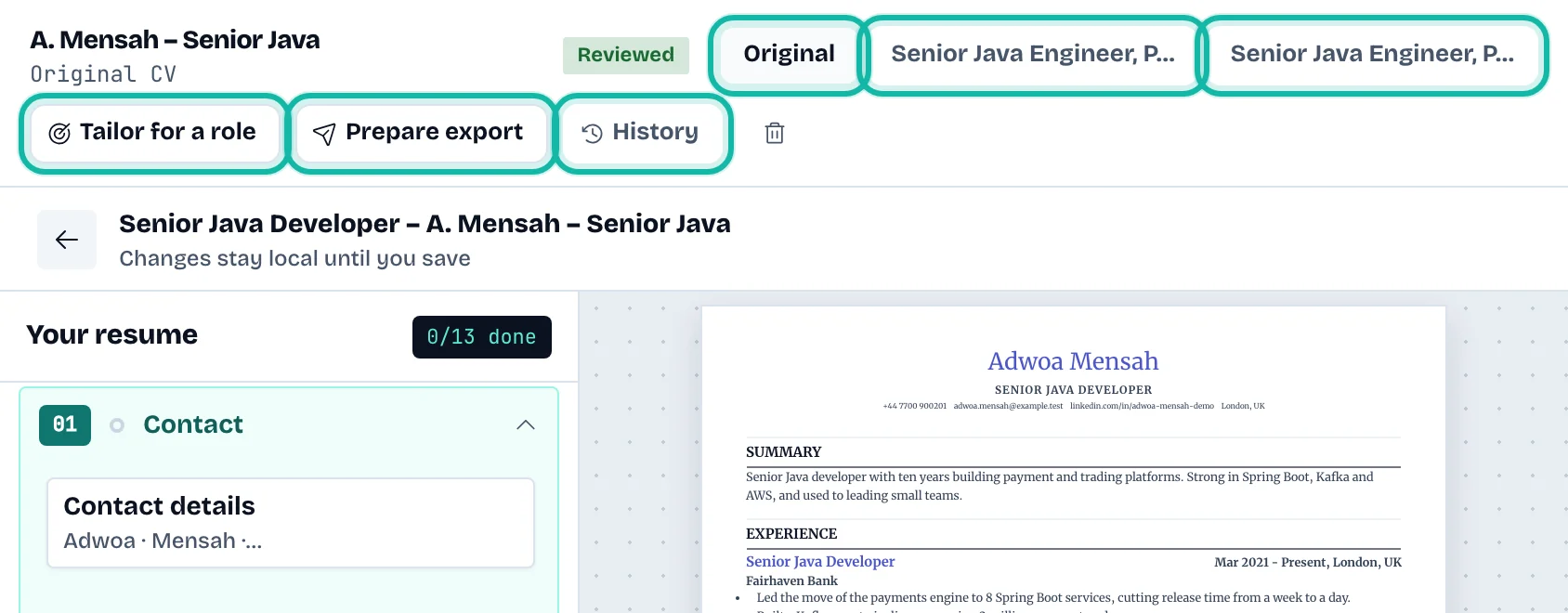
The top bar
Original and the tailored copy names switch between versions of the same candidate. They appear once a tailored copy exists.
Mark as reviewed appears while the CV needs review. See Check and correct what was read.
Tailor for a role opens the tailoring page.
Prepare export opens the export page.
History opens saved versions.
The bin icon deletes the whole candidate. It shows only on the original CV.
The editor
Edit the CV text directly; each save adds a version to History. The editor here has no personal job tools: there is no quality score or design picker, because layout and design are chosen when you prepare the export.
What if…
I want a different version of this CV for a role? Use Tailor for a role. It keeps the original unchanged.
I deleted a candidate by mistake? It cannot be undone. The delete box asks you to confirm first; select Keep to cancel.