Business accounts and personal accounts
Why your agency login is separate from a personal BrighterResume account, and how to move between your businesses.
By the end you know how to use a business account next to a personal one, and how to switch between agencies if you belong to more than one.
One email is either personal or business
An email address is either a personal BrighterResume account or a business account, never both. There is no button that turns one into the other. Your personal résumés stay in your personal account.
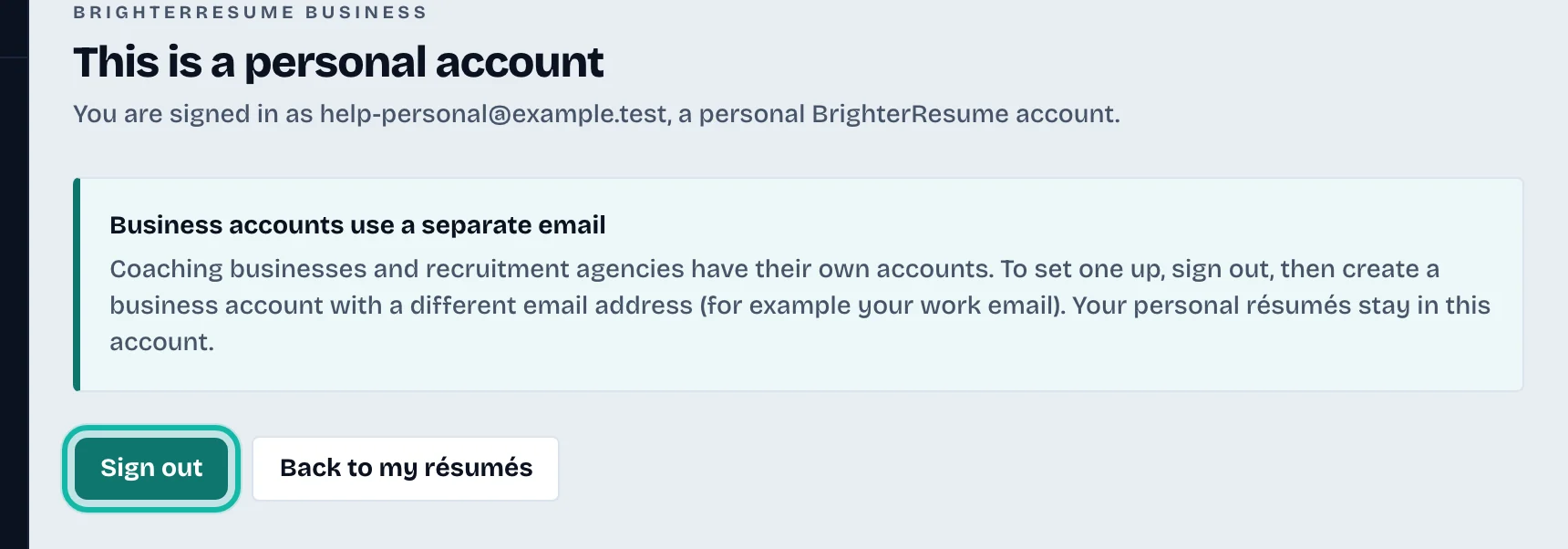
If you open the business portal with a personal account, you see This is a personal account. To set up a business account:
Select Sign out.
Open the business sign-up page and create an account with a different email, for example your work email.
Follow Create your agency account.
To go back to your personal résumés from that page, select Back to my résumés.
If you are invited with the wrong account
An invitation to join an agency's team only works with a business account. With a personal account the link shows This invitation needs a different account. Ask the agency to invite your work email instead. See Invite recruiters to your agency.
Belonging to more than one business
If your business account is a member of several agencies, a Business list appears at the top of the dashboard. Choose another business there to switch. The roles shown next to each name are your role in that business.

Your own account settings
Select Account at the bottom of the left menu to export or delete your account data, or Log out to sign out.