Read the clients list
See your caseload, who is waiting on whom, and filter to the clients who need you.
By the end you can tell at a glance which clients need you today.
Open Clients in the menu. The line at the top shows client places used, for example 3 / 5. A place is used by each active client.
Clients are sorted most urgent first: overdue, then waiting on a coach, then waiting on a client, then nothing to do, then no shared résumé, then ended relationships.
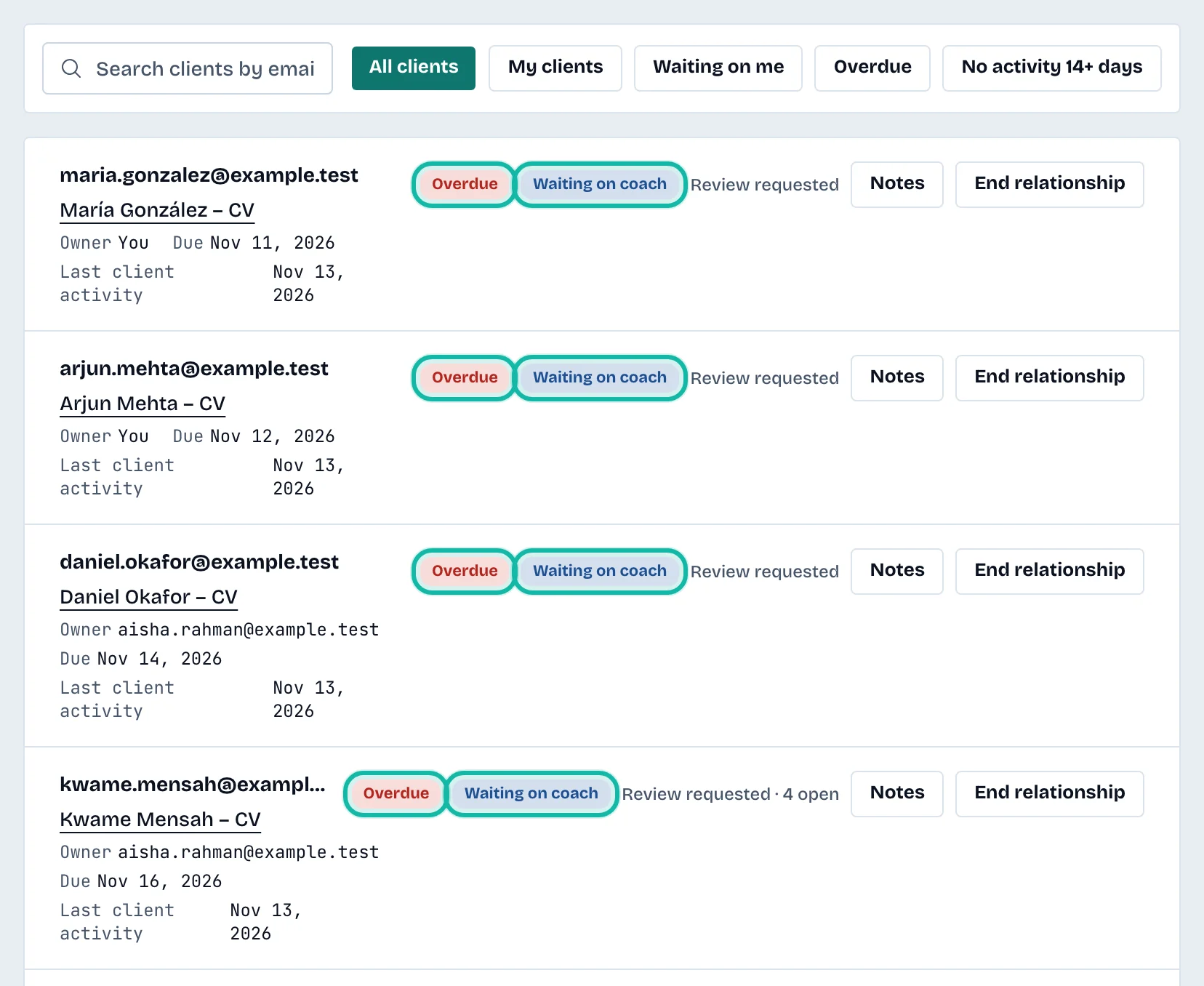
What each row shows
The client's email and the title of the résumé they shared. Select the title to open the review.
Owner: You, a colleague's email, or Unassigned.
Due: the review deadline, if one is set.
Last client activity: when the client last acted.
A badge: Overdue, Waiting on coach, Waiting on client or No action needed.
The review status, such as Shared, Review requested or Review complete, with the number of open comments and suggestions.
A quiet warning: No recorded activity for 7+ days or No recorded activity for 14+ days.
No active review · Not requested when the client has nothing shared yet.
Relationship ended for clients you ended.
Filter and search
Use the buttons above the list:
All clients
My clients: reviews assigned to you.
Waiting on me: reviews waiting on a coach that are yours or unassigned, plus your overdue reviews.
Overdue
No activity 14+ days
Type in Search clients by email to find one client.
End a relationship
Owners and admins can select End relationship on an active client, then confirm. You no longer see their shared résumé or open reviews. Nothing of theirs is deleted and they keep their own account. The client place is freed.
What if…
The list is empty? The page says "No clients yet". Invite a client first.
The client has not responded? Select Notes on the row to record what you tried; see Add private notes about a client.